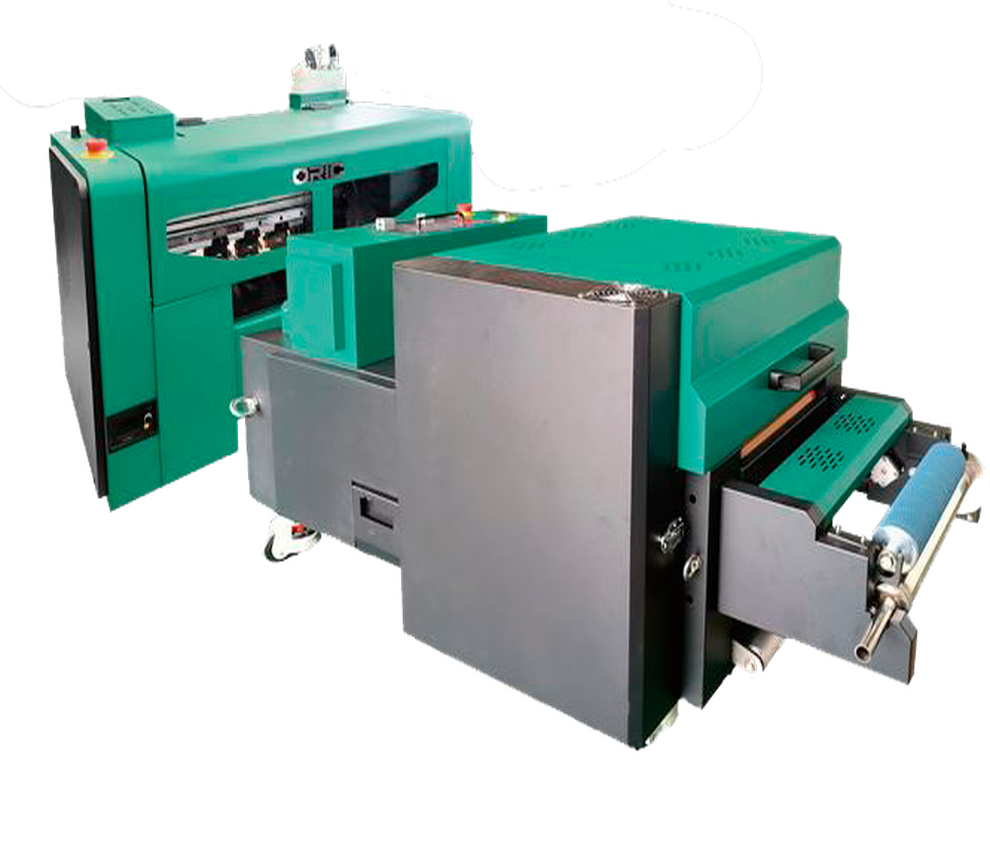
2 cabezales Epson I1600
ORIC A3
Descripción
Description
Maximum print width: 300 mm
Maximum speed: 7.1 m²/h
Compatible media: 320-mm PET film
Number of printheads: 2
Software compatibility: Maintop / PhotoPrint / Riprint
Textile Compatibility/Rigid Fabrics:
100% Cotton
100% Polyester
Cotton/Polyester Blends
Lycra – Elastane
Fleece – Rustic – Jersey
Sports Fabrics
Dark, Light, and Brightly Colored Fabrics
Denim / Jean
TNT (Non-woven Fabric)
Leatherette and Some Flexible Synthetics
Maintenance
- Dust-free environment Keep the working environment dust-free to prevent it from affecting printing.
- Temperature and humidity The machine should operate at a temperature of 25–30°C and with a humidity of 40–60%.
- Platform cleaning Keep the entire printer tidy and clean, removing dust from friction areas.
- Cleaning the bottom of the printhead Move the carriage to the cleaning position, wipe the bottom of the printhead with a non woven cloth dampened with cleaning fluid or distilled water, removing dirt from the printhead and nearby areas.
Related Products
-
4 cabezales Epson I3200Maintenance
- Dust-Free Environment Keep the work environment dust-free to prevent it from affecting printing.
- Temperature and Humidity The machine should operate at a temperature of 25–30°C and a humidity of 40–60%.
- Platform Cleaning Keep the entire printer tidy and clean, removing dust from friction areas.
- Cleaning the Underside of the Printhead Move the carriage to the cleaning position, clean the underside of the printhead with a non-woven cloth dampened with cleaning fluid or distilled water, removing dirt from the printhead and surrounding areas.
Max width: 600mmSpeed: 23 m2/hMedia: Pet Film 620mmRequest a quote -
2 cabezales Epson I3200
- Maintenance Dust-Free Environment Keep the work environment dust-free to prevent it from affecting printing.
- Temperature and Humidity The machine should operate at a temperature of 25–30°C and a humidity of 40–60%.
- Platform Cleaning Keep the entire printer tidy and clean, removing dust from friction areas.
- Cleaning the Underside of the Printhead Move the carriage to the cleaning position, clean the underside of the printhead with a non-woven cloth dampened with cleaning fluid or distilled water, removing dirt from the printhead and surrounding areas.
Max width: 600mmSpeed: 10 m2/hMedia: Pet Film 620mmRequest a quote -
6 cabezales Epson I3200
- High Speed 6-printhead design; maximum achievable speed is 32 m²/h.
- White-Ink Circulation System Prevents white-ink clogging and ensures more stable printing.
- Robust Body Japanese steel guide rail; integrated high-strength stand.
- Built-in Air Purifier Powder agitator with fume-purification function, electronic cleaner, and oil-fume separation.
- Intelligent Printhead Plate Heating The head heats automatically according to temperature to achieve uniform printing.
- Smart Touchscreen Easier operation thanks to the touch control panel.
Compatibility: Standard PhotoPrint and others.
Maintenance- Dust-Free Environment Keep the work environment dust-free to prevent it from affecting printing.
- Temperature and Humidity The machine should operate at a temperature of **25-30°C** and with a humidity of **40-60%**.
- Platform Cleaning Keep the entire printer tidy and clean, removing dust from friction areas.
- Cleaning the Underside of the Printhead Move the carriage to the cleaning position, clean the underside of the printhead with a **non-woven cloth dampened with cleaning fluid or distilled water**, removing dirt from the printhead and surrounding areas.
Max width: 600mmSpeed: 36 m2/hMedia: Pet film 600Request a quote -
1 cabezal Epson I3200
-
SPEED
0.28 m²/h - 3 m²/h -
MEDIA
Glass, plates, various signs, crystal...
- Daily Power On and Circulation Even if you're not printing, turn it on every day to circulate the UV ink and prevent it from hardening inside the printhead.
- Cleaning the Wiper, Cap Station, and Surrounding Area Do this daily. UV ink is thicker and crusts up quickly, clogging the nozzles.
- Avoid Direct Light on the Ink UV inks are cured by light. Keep the cartridges and the plotter area away from sunlight or external UV lights.
- Nozzle Check 1–2 Times a Day UV ink tends to dry faster. You detect any cuts before they affect a job.
- Manual printhead cleaning (only when necessary) Do this with UV cleaning solution and a lint-free cloth. Never use alcohol.
- Proper ventilation of the work area UV inks emit fumes. A well-ventilated environment improves the life of the equipment and the health of the operator.
Max width: 420mmSpeed: 3 m2/hMedia: Glass, plates, advertising signage, crystal, PVC, acrylic, synthetic leather, etc.Request a quote -