 Here we are!
 Call us! 48569248
 Hours 9:00 to 17:30 from Monday to Friday


definition and vibrant colors.
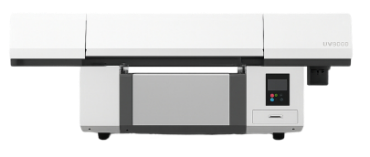
(Flatbed 9060)
with high-quality finishes.
items with great durability.
on multiple surfaces.

Our Products
Latest-generation equipment
We are importers and wholesale distributors of equipment and supplies for sublimation
-
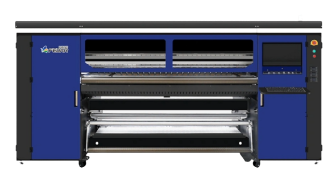
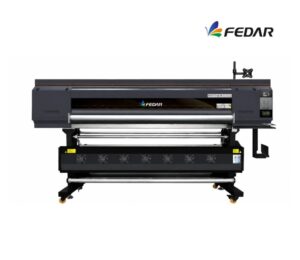 4 cabezales Epson I3200
Features
- HIGH-PRECISION PRINT HEAD 4 Epson I3200-A1 print heads with 3200 DPI resolution and VSDT technology to improve definition, color quality, and print stability. 2-pass speed can reach up to 170 m²/h.
- THK SILENT LINEAR GUIDE Equipped with imported Japanese THK linear guide, allowing smoother carriage movement, reducing friction and noise during high-speed printing.
- LEADSHINE BRUSHLESS MOTOR High-precision Leadshine brushless motor, with better resolution, smaller length error margin, and more stable operation.
- ANTI-COLLISION CARRIAGE SYSTEM Allows the head height to be adjusted according to the material used. It also features an anti-collision system on both sides of the carriage to protect the head during operation.
- MAINTENANCE STATION WITH LIFTABLE PRINT HEAD Advanced head cleaning and moisturizing unit, easy to operate and maintain. Allows selecting automatic or manual mode.
- INK TANK AND SUB-TANK SYSTEM Continuous supply system using tank and sub-tank, ensuring constant ink output and helping maintain print quality. Includes an alarm to remind you to refill ink in time.
- FLUORINATED RUBBER PINCH ROLLER Imported fluororubber roller that helps prevent static electricity, reduce ink misting, and avoid wrinkles during printing.
- INTELLIGENT TAKE-UP UNIT WITH INFLATABLE ROLLER Supports material loads of up to 1000 m, reducing roll-change frequency. Features an oscillating shaft and sensor bar to maintain constant tension during rewinding.
- INTELLIGENT DRYER Includes an intelligent air dryer to support the printing process and improve drying performance.
- PRINT WIDTH 1900 mm print area, ideal for large-format sublimation production.
- COMPATIBLE MEDIA Works with transfer paper from 40 g to 100 g.
- RIP SOFTWARE Compatible with Maintop, Photoprint, Onyx, and neoStampa.
- COMPATIBILITY Compatible with Win 7, Win 8, and Win 10, 64-bit.
Maintenance
- DAILY POWER-ON, EVEN IF YOU DON'T PRINT Helps keep ink circulating and prevents bubbles from forming or ink from drying out in the heads.
- AUTOMATIC CLEANING ACTIVATED Let the equipment run its maintenance cycle. Not interrupting it helps prolong the head's service life.
- KEEP THE CAPPING STATION, DAMPERS, AND WIPER CLEAN These consumables can accumulate ink and lint. Weekly cleaning helps prevent stains, ink cutoffs, or clogs.
- CONTROL AMBIENT HUMIDITY Recommended range: 45%–60%. Low humidity can dry out the ink; excessive humidity can affect the paper and print quality.
- CHECK FEED ROLLERS AND TAKE-UP SYSTEM Keeping them clean helps prevent marks on the paper, wrinkles, or tension issues during operation.
- USE THE EQUIPMENT FREQUENTLY Sublimation plotters need constant ink circulation. It's recommended to use the equipment at least 3–4 times per week.
Max width: 1900mmSpeed: 170 m²/hMedia: Sublimation paper / transfer paperRequest a quote -
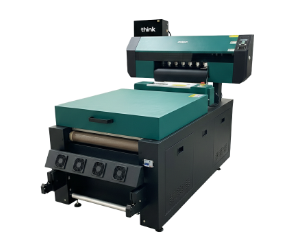
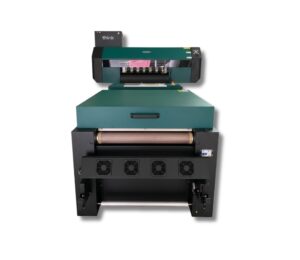 2 Epson I3200 printheads
- Maintenance Dust-Free Environment Keep the work environment dust-free to prevent it from affecting printing.
- Temperature and Humidity The machine should operate at a temperature of 25–30°C and a humidity of 40–60%.
- Platform Cleaning Keep the entire printer tidy and clean, removing dust from friction areas.
- Cleaning the Underside of the Printhead Move the carriage to the cleaning position, clean the underside of the printhead with a non-woven cloth dampened with cleaning fluid or distilled water, removing dirt from the printhead and surrounding areas.
Max width: 600mmSpeed: 10 m2/hMedia: Pet Film 620mmRequest a quote -
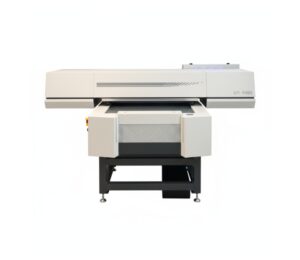 3 cabezales Epson I3200Maintenance
- Daily Cleaning of the Printhead Resting System Clean the wiper, cap station, and printhead rim every day. UV ink forms crusts that can clog nozzles if not removed promptly. Chiller (Water Cooler) Check
- X/Y/Z Axis Lubrication Apply appropriate lubricant every 1–2 weeks. Clean axes prevent vibrations and lines in the print.
- Avoid Ambient UV Light UV inks cure with light. Avoid exposing the print bed or cartridges to direct sunlight or external UV light.
- Flatbed Cleaning Keep the surface free of dust, adhesives, or material residue. Any residue can affect printhead height or damage the nozzle.
Ensure the chiller is functioning correctly.
✔️ Stable temperature (ideally 20–24°C)
✔️ Clean water and correct level
✔️ Change water every 30–45 days
Improper cooling can damage the printhead in minutes.
Vacuum System Check The vacuum should properly hold rigid parts. If suction is low, check the filters, hoses, and air intake.Max width: 600mmSpeed: 16 m2/hMedia: Glass, Acrylic, Tile / Ceramic Tile, Aluminum, iPhone Cases, Plastic, Foam Board, Wallpaper, Wall Art, Advertising Signage, Metal, Paper, Wood, MDF, Furniture, Cards, Marble, Golf Products, Gift and Promotional Items, Leather, PU, PMMA, PVC, PP, PE, PTFE, Plexiglass, Panels, Ceilings, Cardboard, Corrugated Cardboard, Chevron Panel, Fiberboard, Brick, Stone, Home Décor, Appliance Panels, Ceramic and Porcelain Tile, 3C Products, Oil Painting, Fresco, Sliding Doors, Photos, Marking and Signage, Exhibition / Trade Show Stands, etc.Request a quote -
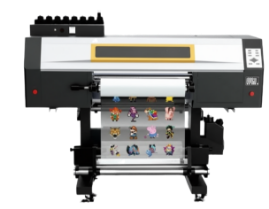
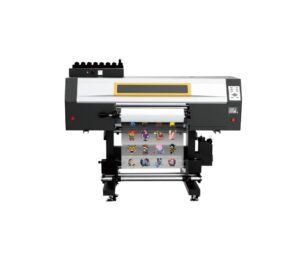 3 cabezales Epson I3200Maintenance
- Daily Power On and Circulation Even if you're not printing, turn it on every day to circulate the UV ink and prevent it from hardening inside the printhead.
- Cleaning the Wiper, Cap Station, and Surrounding Area Do this daily. UV ink is thicker and crusts up quickly, clogging the nozzles.
- Avoid Direct Light on the Ink UV inks are cured by light. Keep the cartridges and the plotter area away from sunlight or external UV lights.
- Nozzle Check 1–2 Times a Day UV ink tends to dry faster. You detect any cuts before they affect a job.
- Manual printhead cleaning (only when necessary) Do this with UV cleaning solution and a lint-free cloth. Never use alcohol.
- Proper ventilation of the work area UV inks emit fumes. A well-ventilated environment improves the life of the equipment and the health of the operator.
- Cooling system maintenance Check the water in the chiller or printhead cooling system. If the cooling fails, the printhead can be damaged in minutes.
Max width: 620mmSpeed: 10 m2/hMedia: Film A (with adhesive) + B / Film A (without adhesive) + BRequest a quote -
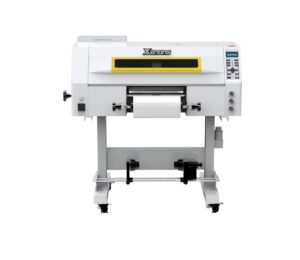 3 Epson I1600 printheadsMaintenance
- Daily power-on and circulation Even if you don't print, turn it on every day so the UV ink circulates and to prevent it from hardening inside the printhead.
- Cleaning of the wiper, cap station, and surrounding areas Do this daily. UV ink is thicker and forms crusts quickly, which clogs the nozzles.
- Avoid direct light on the ink UV inks cure with light. Keep cartridges and the plotter area away from direct sunlight or external UV lights.
- Nozzle test 1–2 times per day UV ink tends to dry faster. This detects any clogs before they affect a job.
- Manual cleaning of the printhead (only when necessary) Do it with UV cleaning solution and a lint-free cloth. Never use alcohol.
- Adequate ventilation of the work area UV inks emit vapors. A ventilated environment improves equipment lifespan and operator health.
Max width: 300mmSpeed: 7 m2/hMedia: Film A (with adhesive) + BRequest a quote
-
4 cabezales Epson I3200
Features
- HIGH-PRECISION PRINT HEAD 4 Epson I3200-A1 print heads with 3200 DPI resolution and VSDT technology to improve definition, color quality, and print stability. 2-pass speed can reach up to 170 m²/h.
- THK SILENT LINEAR GUIDE Equipped with imported Japanese THK linear guide, allowing smoother carriage movement, reducing friction and noise during high-speed printing.
- LEADSHINE BRUSHLESS MOTOR High-precision Leadshine brushless motor, with better resolution, smaller length error margin, and more stable operation.
- ANTI-COLLISION CARRIAGE SYSTEM Allows the head height to be adjusted according to the material used. It also features an anti-collision system on both sides of the carriage to protect the head during operation.
- MAINTENANCE STATION WITH LIFTABLE PRINT HEAD Advanced head cleaning and moisturizing unit, easy to operate and maintain. Allows selecting automatic or manual mode.
- INK TANK AND SUB-TANK SYSTEM Continuous supply system using tank and sub-tank, ensuring constant ink output and helping maintain print quality. Includes an alarm to remind you to refill ink in time.
- FLUORINATED RUBBER PINCH ROLLER Imported fluororubber roller that helps prevent static electricity, reduce ink misting, and avoid wrinkles during printing.
- INTELLIGENT TAKE-UP UNIT WITH INFLATABLE ROLLER Supports material loads of up to 1000 m, reducing roll-change frequency. Features an oscillating shaft and sensor bar to maintain constant tension during rewinding.
- INTELLIGENT DRYER Includes an intelligent air dryer to support the printing process and improve drying performance.
- PRINT WIDTH 1900 mm print area, ideal for large-format sublimation production.
- COMPATIBLE MEDIA Works with transfer paper from 40 g to 100 g.
- RIP SOFTWARE Compatible with Maintop, Photoprint, Onyx, and neoStampa.
- COMPATIBILITY Compatible with Win 7, Win 8, and Win 10, 64-bit.
Maintenance
- DAILY POWER-ON, EVEN IF YOU DON'T PRINT Helps keep ink circulating and prevents bubbles from forming or ink from drying out in the heads.
- AUTOMATIC CLEANING ACTIVATED Let the equipment run its maintenance cycle. Not interrupting it helps prolong the head's service life.
- KEEP THE CAPPING STATION, DAMPERS, AND WIPER CLEAN These consumables can accumulate ink and lint. Weekly cleaning helps prevent stains, ink cutoffs, or clogs.
- CONTROL AMBIENT HUMIDITY Recommended range: 45%–60%. Low humidity can dry out the ink; excessive humidity can affect the paper and print quality.
- CHECK FEED ROLLERS AND TAKE-UP SYSTEM Keeping them clean helps prevent marks on the paper, wrinkles, or tension issues during operation.
- USE THE EQUIPMENT FREQUENTLY Sublimation plotters need constant ink circulation. It's recommended to use the equipment at least 3–4 times per week.
Max width: 1900mmSpeed: 170 m²/hMedia: Sublimation paper / transfer paperRequest a quote -
2 Epson I3200 printheads
- Maintenance Dust-Free Environment Keep the work environment dust-free to prevent it from affecting printing.
- Temperature and Humidity The machine should operate at a temperature of 25–30°C and a humidity of 40–60%.
- Platform Cleaning Keep the entire printer tidy and clean, removing dust from friction areas.
- Cleaning the Underside of the Printhead Move the carriage to the cleaning position, clean the underside of the printhead with a non-woven cloth dampened with cleaning fluid or distilled water, removing dirt from the printhead and surrounding areas.
Max width: 600mmSpeed: 10 m2/hMedia: Pet Film 620mmRequest a quote
-
 1 liter
- COMPATIBILITY:
- DTF equipment with 2, 4, and 6 printheads (Oric, M Tu Tech)
- NOTES:
- Keep at room temperature; avoid direct sunlight exposure.
- BRAND:
- Kisco / Think
- CAUTION
- Shake before use for better print results.
- Use within one month after opening.
- Working temperature: 18℃~27℃, humidity: 40%~80%.
- Avoid contact with eyes/skin.
- Keep out of reach of children.
CyanMagentaYellowBlack and whiteRequest a quote - COMPATIBILITY:
-
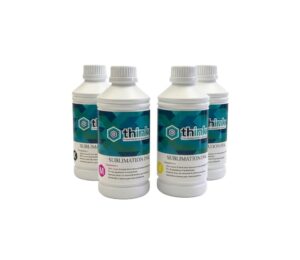 1 liter
- APPLICATIONS Polyester fabrics, lycra, dry-fit, twill, sublimatable flannels. Ideally with a composition of 75-80% polyester. Rigid products with a polyester coating: mugs, mouse pads, caps, covers, t-shirts, bags, etc.
- PRO TIPS Use sublimation paper with high-absorption coating. Adjust the ICC color profile. Store the ink in a cool place away from sun exposure. Gently shake the container before loading. If the color looks dull, verify the heat press temperature and time (approx. 200 °C / 60 s).
- COMPATIBILITY Fully compatible with Epson printheads (DX5, XP600, I3200, L1800, among others).
RedBlueYellowBlackRequest a quote -
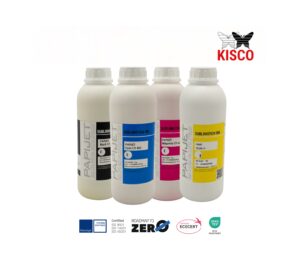 1 liter
- BRAND:
- Kisco / Think
- COMPATIBILITY:
- Printers compatible with sublimation inks (Fedar, Epson, etc.).
- Epson printers with a tank or continuous system.
- NOTES:
- Keep in a cool place and shake before use to prevent sedimentation.
- PRESENTATION:
- 100 ml / 1000 ml bottles (C, M, Y, K).
- INK TYPE:
- Water-based, heat sublimation.
- KEY FEATURES
- Excellent yield per milliliter.
- Resistance to washing and sunlight.
- Korean-origin pigments of maximum purity.
- Quick drying, ideal for high-volume production.
- High color density, with deep blacks and vibrant colors.
- Excellent transfer (low ink consumption).
- APPLICATIONS
- Polyester fabrics, lycra, dry-fit, twill, sublimatable flannels. Ideally with a composition of 75-80% polyester.
- Rigid products with a polyester coating: mugs, mouse pads, caps, covers, t-shirts, bags, etc.
- PRO TIPS
- Use sublimation paper with high-absorption coating.
- Adjust the ICC color profile.
- Store the ink in a cool place away from sun exposure.
- Gently shake the container before loading.
- If the color looks dull, check the heat press temperature and time (approx. 200 °C / 60 s).
CyanMagentaYellowBlack + Fluo (Magenta y Yellow)Request a quote - BRAND:
-
 1 liter
- ADVANTAGES
- Protects the print from wear, humidity, and UV rays.
- Increases durability without the need for lamination.
- Enhances colors and generates visual value.
- Instant drying, with no waiting times.
- PRO TIPS
- Control the height of the varnish layer to avoid over-curing.
- Keep the UV lamps clean and calibrated.
- Do not mix varnishes from different manufacturers (they can change density).
- If you are looking for more texture or gloss, increase the number of UV passes.
Request a quote - ADVANTAGES
-
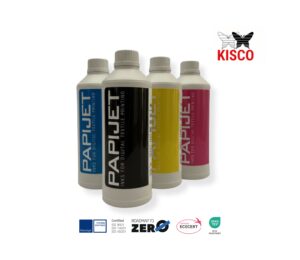 1 liter
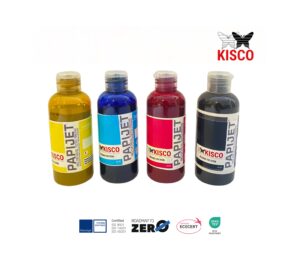
- KISCO develops and produces high-color, high-fastness water-based pigmented inks, based on advanced pigment-dispersion technologies.
- Our inks are optimized for Epson printheads, offering stable printing quality, bright colors and excellent fastness.
- They are eco-friendly products that do not contain hazardous substances such as halogenated organic compounds. Their safety is certified under the RoHS 2.0 standard.
CyanMagentaYellowNegroRequest a quote -
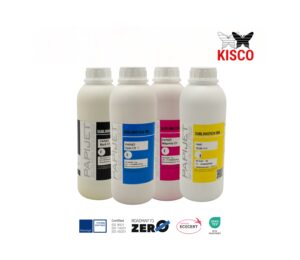
- COMPATIBILITY Suitable for all sublimation machines.
CyanMagentaYellowBlackRequest a quote -

-
TIPS
- Store the powder in a cool, dry place (it absorbs moisture easily).
- If the print is hard or excessively shiny, there was probably too much powder or high temperature.
- Shake the powder well before use — this helps prevent clumping and maintains homogeneous distribution.
Request a quote -
TIPS
-
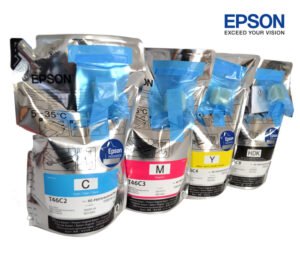 1100ml
-
COMPATIBILITY
For F6370 only.
CyanMagentaYellowBlackRequest a quote -
-
 1 literEach sachet contains 1000 milliliters.CyanMagentaYellowBlackRequest a quote
 -

-
COMPATIBILITY
For F570 only.
CyanMagentaYellowBlackRequest a quote -
-
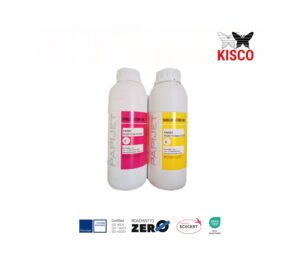 1 literIdeal for sports fashion, technical apparel, textile signage, and promotional items, KISCO FLUO inks provide superior definition and wash resistance, enhancing vibrant neon tones in every print.
- APPLICATIONS Polyester fabrics, lycra, dry-fit, twill, sublimatable flannels. Ideally with a composition of 75-80% polyester. Rigid products with a polyester coating: mugs, mouse pads, caps, covers, t-shirts, bags, etc.
- PRO TIPS Use sublimation paper with high-absorption coating. Adjust the ICC color profile. Store the ink in a cool place away from sun exposure. Gently shake the container before loading. If the color looks dull, verify the heat press temperature and time (approx. 200 °C / 60 s).
MagentaYellowRequest a quote -
-
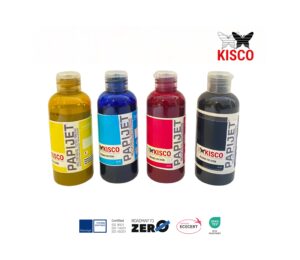
BRAND:
- Kisco / Think
-
COMPATIBILITY:
- Printers compatible with sublimation inks (Fedar, Epson, etc.).
- Epson printers with a tank or continuous system.
-
NOTES:
- Keep in a cool place and shake before use to prevent sedimentation.
-
PRESENTATION:
- 100 ml / 1000 ml bottles (C, M, Y, K).
-
INK TYPE:
- Water-based, heat sublimation.
-
KEY FEATURES
- Excellent yield per milliliter.
- Resistance to washing and sunlight.
- Korean-origin pigments of maximum purity.
- Quick drying, ideal for high-volume production.
- High color density, with deep blacks and vibrant colors.
- Excellent transfer (low ink consumption).
-
APPLICATIONS
- Polyester fabrics, lycra, dry-fit, twill, sublimatable flannels. Ideally with a composition of 75-80% polyester.
- Rigid products with a polyester coating: mugs, mouse pads, caps, covers, t-shirts, bags, etc.
-
PRO TIPS
- Use sublimation paper with high-absorption coating.
- Adjust the ICC color profile.
- Store the ink in a cool place away from sun exposure.
- Gently shake the container before loading.
- If the color looks dull, verify the heat press temperature and time (approx. 200 °C / 60 s).
CyanMagentaYellowBlack + Fluo (Magenta y Yellow)Request a quote -
BRAND:
-
- COMPATIBILITY Suitable for all sublimation machines.
RedBlueYellowBlackRequest a quote -
 1 liter
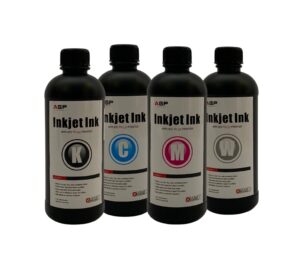
- COMPATIBILITY:
- UV DTF and flatbed equipment (AGP UV-S30, UV-S604, UV-3040)
- NOTES:
- Store in a dark place, avoid prolonged exposure to UV light.
- BRAND:
- UV Ink
- UV STICKERS
- They are decals printed with UV DTF technology, where ultraviolet ink cured with UV light is used to achieve a finish with relief, gloss, and high resistance.
- They don't require cutting or lamination: they come ready to apply on hard surfaces.
- COMPOSITION
- A UV DTF sticker has several layers:
- Film A (top clear): protects the design and maintains the shape.
- UV Varnish layer: provides the glossy or textured effect.
- Color ink layer: prints the design (CMYK + white).
- Adhesive layer: allows it to be stuck to any smooth surface.
- Film B (base): is removed before application.
- HOW TO APPLY
- Cut the desired design (if the sheet contains several).
- Remove the base (Film B).
- Stick the decal onto the clean, dry surface.
- Press down firmly with a squeegee or finger.
- Remove the top film (Film A).
- → The sticker is left with gloss, relief, and permanently adhered.
- PRO TIPS
- Avoid surfaces with dust or grease.
- For curved surfaces, lightly heat with a hairdryer so it conforms.
- They are not suitable for textiles, only rigid or semi-rigid surfaces.
- You can create effects by combining matte + glossy UV layers.
CyanMagentaYellowBlackRequest a quote - COMPATIBILITY:
-
 1 liter
- COMPATIBILITY:
- UV DTF and flatbed equipment (AGP UV-S30, UV-S604, UV-3040)
- NOTES:
- Store in a dark place, avoid prolonged exposure to UV light.
- BRAND:
- UV Ink
CyanMagentaYellowBlackRequest a quote - COMPATIBILITY:
-
1 liter
- COMPATIBILITY:
- DTF equipment with 2, 4, and 6 printheads (Oric, M Tu Tech)
- NOTES:
- Keep at room temperature; avoid direct sunlight exposure.
- BRAND:
- Kisco / Think
- CAUTION
- Shake before use for better print results.
- Use within one month after opening.
- Working temperature: 18℃~27℃, humidity: 40%~80%.
- Avoid contact with eyes/skin.
- Keep out of reach of children.
CyanMagentaYellowBlack and whiteRequest a quote - COMPATIBILITY:
-
1 liter
- APPLICATIONS Polyester fabrics, lycra, dry-fit, twill, sublimatable flannels. Ideally with a composition of 75-80% polyester. Rigid products with a polyester coating: mugs, mouse pads, caps, covers, t-shirts, bags, etc.
- PRO TIPS Use sublimation paper with high-absorption coating. Adjust the ICC color profile. Store the ink in a cool place away from sun exposure. Gently shake the container before loading. If the color looks dull, verify the heat press temperature and time (approx. 200 °C / 60 s).
- COMPATIBILITY Fully compatible with Epson printheads (DX5, XP600, I3200, L1800, among others).
RedBlueYellowBlackRequest a quote
-
 0.60X100m
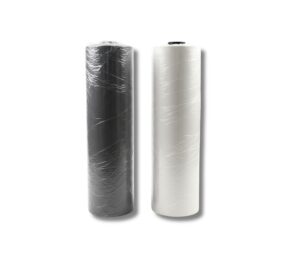
PRESENTATION
0.60 x 100 meters-
FILM A (PRINTING FILM)
It is the film on which the design is printed using UV DTF inks.
It features a special coating that improves ink adhesion, preventing it from smudging or spreading.
Resists the temperature of UV curing. -
FILM B (ADHESIVE FILM)
It is a transparent adhesive sheet coated with pressure-sensitive glue.
It is applied on top of Film A once printed, forming the A+B set.
Its function is to transfer the complete design to the final product (glass, metal, plastic, wood, leather, etc.).
After pressing and removing the film, the design remains fully adhered, with a glossy or matte finish depending on the film type. -
COMMON APPLICATIONS
Customization of rigid products: bottles, mugs, metals, acrylics, wood, leather, glass, etc.
Ideal for merchandising, signage, decoration, packaging, souvenirs, and premium products.
Request a quote -
-
 0.30X100m
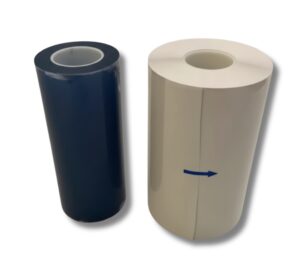
PRESENTATION
0.30 x 100 meters-
FILM A (PRINTING FILM)
It is the film on which the design is printed using UV DTF inks.
It features a special coating that improves ink adhesion, preventing smudging or spreading.
Resists UV-curing temperature. -
FILM B (ADHESIVE FILM)
It is a transparent adhesive sheet coated with pressure-sensitive glue.
It is applied on top of Film A once printed, forming the A+B set.
Its function is to transfer the complete design onto the final product (glass, metal, plastic, wood, leather, etc.).
After pressing and removing the film, the design remains fully adhered, with a glossy or matte finish depending on the film type. -
COMMON APPLICATIONS
Customization of rigid products: bottles, mugs, metals, acrylics, wood, leather, glass, etc.
Ideal for merchandising, signage, decoration, packaging, souvenirs, and premium products.
Request a quote -
-
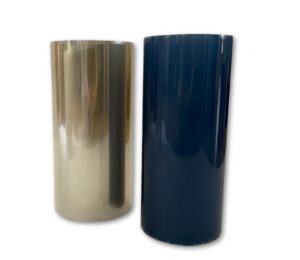 0.30X100m
PRESENTATION
0.30 x 100 meters-
FILM A (PRINTING FILM)
It is the film on which the design is printed using UV DTF inks.
It features a special coating that improves ink adhesion, preventing smudging or spreading.
Resists UV-curing temperature. -
FILM B (ADHESIVE FILM)
It is a transparent adhesive sheet coated with pressure-sensitive glue.
It is applied on top of Film A once printed, forming the A+B set.
Its function is to transfer the complete design onto the final product (glass, metal, plastic, wood, leather, etc.).
After pressing and removing the film, the design remains fully adhered, with a glossy or matte finish depending on the film type. -
COMMON APPLICATIONS
Customization of rigid products: bottles, mugs, metals, acrylics, wood, leather, glass, etc.
Ideal for merchandising, signage, decoration, packaging, souvenirs, and premium products.
Request a quote -
-
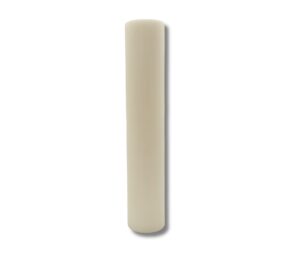 60X100mPRESENTATION 60 x 100 meters
- TRANSPARENCY AND RIGIDITY
Allows you to see the printed design with complete clarity.
Maintains its shape and prevents deformation during printing. - SPECIALIZED COATING
Surface treated to absorb ink evenly and prevent bleeding.
Compatible with DTF inks. - CONTROLLED FLEXIBILITY
Flexible enough to handle, yet firm enough to maintain registration and design alignment.
Compatible with any conventional DTF system. - TYPICAL APPLICATIONS
Textile transfers: T-shirts, backpacks, caps, uniforms, etc. - GENERAL PRESSING TIPS
Always use protective paper between the design and the heat press to prevent burns or marks.
Maintain even pressure for consistent transfers.
Adjust the press according to the actual temperature of the fabric, not only the machine's setting.
Let it cool before removing the film.
Do quick tests before large productions to ensure color accuracy and adhesion.
Request a quote - TRANSPARENCY AND RIGIDITY
-
60X100m
PRESENTATION
60 x 100 meters-
TRANSPARENCY AND RIGIDITY
Allows you to see the printed design with full clarity.
Maintains its shape and prevents deformation during printing. -
SPECIALIZED COATING
Surface treated to absorb ink evenly and prevent bleeding.
Compatible with DTF inks. -
CONTROLLED FLEXIBILITY
Flexible enough to handle, yet firm enough to maintain registration and design alignment.
Compatible with any conventional DTF system. -
TYPICAL APPLICATIONS
Textile transfers: T-shirts, backpacks, caps, uniforms, etc. -
GENERAL PRESSING TIPS
Always use protective paper between the design and the heat press to avoid burns or marks.
Maintain even pressure for uniform transfers.
Adjust the press according to the actual temperature of the fabric, not just the machine setting.
Let it cool before removing the film.
Perform quick tests before large productions to ensure color accuracy and adhesion.
Request a quote -
-
30X100m
PRESENTATION
30 x 100 meters-
TRANSPARENCY AND RIGIDITY
Allows you to see the printed design with complete clarity.
Maintains its shape and prevents deformation during printing. -
SPECIALIZED COATING
Surface treated to absorb ink evenly and prevent bleeding.
Compatible with DTF inks. -
CONTROLLED FLEXIBILITY
Flexible enough to handle, yet firm enough to maintain registration and design alignment.
Compatible with any conventional DTF system. -
TYPICAL APPLICATIONS
Textile transfers: T-shirts, backpacks, caps, uniforms, etc. -
GENERAL PRESSING TIPS
Always use protective paper between the design and the heat press to avoid burns or marks.
Maintain even pressure for uniform transfers.
Adjust the press according to the actual temperature of the fabric, not only the machine setting.
Allow it to cool before removing the film.
Run quick tests before large productions to ensure color accuracy and adhesion.
Request a quote -
-
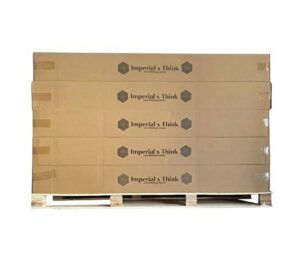 1.60X300m 80grPRESENTATION 1.60 x 300 meters - 80 gr
- DESCRIPTION Sublimation papers are designed to transfer images printed with sublimation inks onto polymer-coated surfaces or polyester fabrics, through the combined action of heat and pressure.
Request a quote -
1.80X300m 80grPRESENTATION 1.80 x 300 meters - 80 gr
- DESCRIPTION Sublimation papers are designed to transfer images printed with sublimation inks onto polymer-coated surfaces or polyester fabrics, through the combined action of heat and pressure.
Request a quote -
1.60X200m 80grPRESENTATION 1.60 x 200 meters - 80 gr
- DESCRIPTION Sublimation papers are designed to transfer images printed with sublimation inks onto polymer-coated surfaces or polyester fabrics, through the combined action of heat and pressure.
Request a quote -
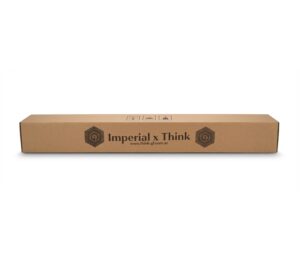 1.10x100m 80grPRESENTATION 1.10 x 100 meters - 80 gr
- DESCRIPTION Sublimation papers are designed to transfer images printed with sublimation inks onto polymer-coated surfaces or polyester fabrics, through the combined action of heat and pressure.
Request a quote -
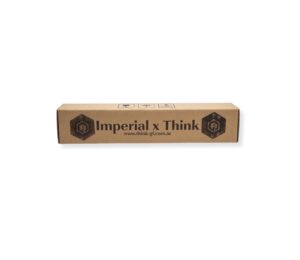 0.61x50m 80grPRESENTATION 0.61 x 50 meters - 80 gr
- DESCRIPTION Sublimation papers are designed to transfer images printed with sublimation inks onto polymer-coated surfaces or polyester fabrics, through the combined action of heat and pressure.
Request a quote -
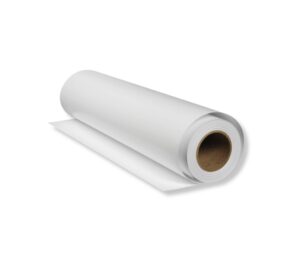 1.60X300m 60gr
PRESENTATION
1.60 x 300 meters - 60 gr-
DESCRIPTION
Sublimation papers are designed to transfer images printed with sublimation inks onto polymer-coated surfaces or polyester fabrics, through the combined action of heat and pressure.
Request a quote -
-
1.60X200m 60gr
PRESENTATION
1.60 x 200 meters - 60 gr-
DESCRIPTION
Sublimation papers are designed to transfer images printed with sublimation inks onto polymer-coated surfaces or polyester fabrics, through the combined action of heat and pressure.
Request a quote -
-
-
 1.10x100m 70gr
PRESENTATION
1.10 x 100 meters - Mass Coating-
DESCRIPTION
Sublimation papers are designed to transfer images printed with sublimation inks onto polymer-coated surfaces or polyester fabrics, through the combined action of heat and pressure.
Request a quote -
-
 0.61x50m 70gr
PRESENTATION
0.61 x 50 meters - Mass coating-
DESCRIPTION
Sublimation papers are designed to transfer images printed with sublimation inks onto polymer-coated surfaces or polyester fabrics, through the combined action of heat and pressure.
Request a quote -
-
0.30X50m
PRESENTATION
0.30 x 50 meters-
FILM A (PRINTING FILM)
It is the film on which the design is printed using UV DTF inks.
It features a special coating that improves ink adhesion, preventing smudging or spreading.
Withstands UV-curing temperature. -
FILM B (ADHESIVE FILM)
It is a transparent adhesive sheet coated with pressure-sensitive glue.
It is applied over Film A once printed, forming the A+B set.
Its function is to transfer the complete design to the final product (glass, metal, plastic, wood, leather, etc.).
After pressing and removing the film, the design remains fully adhered, with a glossy or matte finish depending on the film type. -
COMMON APPLICATIONS
Customization of rigid products: bottles, mugs, metals, acrylics, wood, leather, glass, etc.
Ideal for merchandising, signage, decoration, packaging, souvenirs, and premium products.
Request a quote -
-
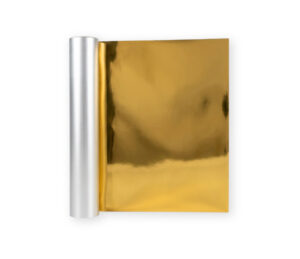 0.30X50m
PRESENTATION
0.30 x 50 meters-
FILM A (PRINTING FILM)
It is the film on which the design is printed using UV DTF inks.
It features a special coating that improves ink adhesion, preventing smudging or spreading.
Withstands the temperature of UV curing. -
FILM B (ADHESIVE FILM)
It is a transparent adhesive sheet coated with pressure-sensitive glue.
It is applied over Film A once printed, forming the A+B set.
Its function is to transfer the entire design to the final product (glass, metal, plastic, wood, leather, etc.).
After pressing and removing the film, the design remains fully adhered, with a glossy or matte finish depending on the film type. -
COMMON APPLICATIONS
Customization of rigid products: bottles, mugs, metals, acrylics, wood, leather, glass, etc.
Ideal for merchandising, signage, decoration, packaging, souvenirs, and premium products.
Request a quote -
-
0.60X25m
PRESENTATION
0.60 x 25 meters-
TRANSPARENCY AND RIGIDITY
Allows you to see the printed design with complete clarity.
Maintains shape and prevents deformation during printing. -
SPECIALIZED COATING
Surface treated to absorb ink evenly and prevent bleeding.
Compatible with DTF inks. -
CONTROLLED FLEXIBILITY
Flexible enough to handle, yet firm enough to maintain registration and design alignment.
Compatible with any conventional DTF system. -
TYPICAL APPLICATIONS
Textile transfers: T-shirts, backpacks, caps, uniforms, etc. -
GENERAL PRESSING TIPS
Always use protective paper between the design and the heat press to avoid burns or marks.
Maintain even pressure for consistent transfers.
Adjust the press according to the actual temperature of the fabric, not just the machine setting.
Allow it to cool before removing the film.
Run quick tests before large productions to ensure color accuracy and adhesion.
Request a quote -
-
0.60X25m
PRESENTATION
0.60 x 25 meters-
TRANSPARENCY AND RIGIDITY
Allows you to see the printed design with total clarity.
Maintains shape and prevents deformation during printing. -
SPECIALIZED COATING
Surface treated to absorb ink evenly and prevent bleeding.
Compatible with DTF inks. -
CONTROLLED FLEXIBILITY
Flexible enough to handle, yet firm enough to maintain registration and design alignment.
Compatible with any conventional DTF system. -
TYPICAL APPLICATIONS
Textile transfers: T-shirts, backpacks, caps, uniforms, etc. -
GENERAL PRESSING TIPS
Always use protective paper between the design and the heat press to prevent burns or marks.
Maintain even pressure for consistent transfers.
Adjust the press based on the actual temperature of the fabric, not just the machine setting.
Allow it to cool before removing the film.
Make quick tests before large productions to ensure color accuracy and adhesion.
Request a quote -
-
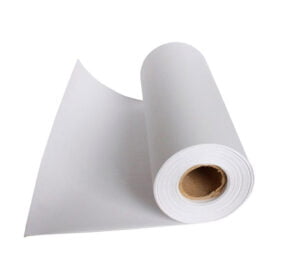
1.60X300m 80grPRESENTATION 1.60 x 300 meters - 80 gr
- DESCRIPTION Sublimation papers are designed to transfer images printed with sublimation inks onto polymer-coated surfaces or polyester fabrics, through the combined action of heat and pressure.
Request a quote -
1.80X300m 80grPRESENTATION 1.80 x 300 meters - 80 gr
- DESCRIPTION Sublimation papers are designed to transfer images printed with sublimation inks onto polymer-coated surfaces or polyester fabrics, through the combined action of heat and pressure.
Request a quote
Do you need advice?
Our experts are ready to help you find the best solution.
Our Services
More than equipment, complete solutions
We support you every step of the way with specialized services

Permanent Stock
Plotter installation service. Advice on Papers and Inks.

Warranty
Warranty for manufacturing defects on all our products.

Shipping
Fast shipping system so our clients receive their products on time and in proper condition.

Consulting
Plotter installation service. Advice on Papers and Inks.
Why choose Think?

High-quality supplies.
Highly trained staff.
Over 20 years of experience.
Highly competitive prices.
Own logistics, same-day delivery.
Personalized service.

Do you need advice?
Our specialists are ready to help you find the ideal solution for your business
CONTACTOur History
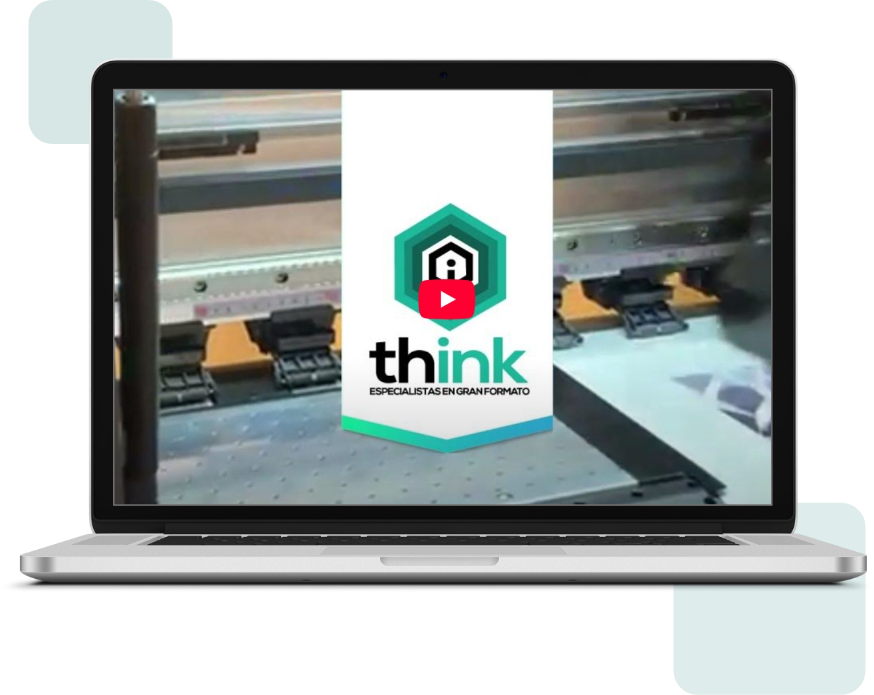
Building the digital future of businesses
Since 2008, we have been pioneers in providing comprehensive technological solutions that transform the way companies operate and grow.
+15 years of experience in the market
More than 500 companies trust us
Specialized 24/7 technical support
Strategic partnerships with leading brands

Specialization
We are specialists in sublimation and large-format equipment and supplies

Collaboration
We work with you to find the best technological solution

Innovation
Always at the forefront with the latest technologies on the market
Brands We Distribute










Contact Us
Ready to transform your business?
We are here to help you find the best technological solution